

How to save and restore network snapshots
Learn how to save development checkpoints and restore simulator or localnet state in Studio
Snapshots preserve network state for repeating scenarios or recovering after changes.
A simulator saves JSON snapshots, while localnet snapshots use compressed archives. The formats are not interchangeable and differ from emulator test fixtures.
Restore replaces the selected simulator or localnet state, including localnet node topology. Save needed state first.
Deleting a snapshot permanently removes that restore point, and deleting a localnet removes its managed snapshots.
Prerequisites
- A virtual environment.
- For simulator CLI commands, the HTTP port to use. The example starts a simulator on port
5411. - For localnet, a running Docker engine with storage for live databases, snapshot archives, and temporary restore backups.
Save and restore state
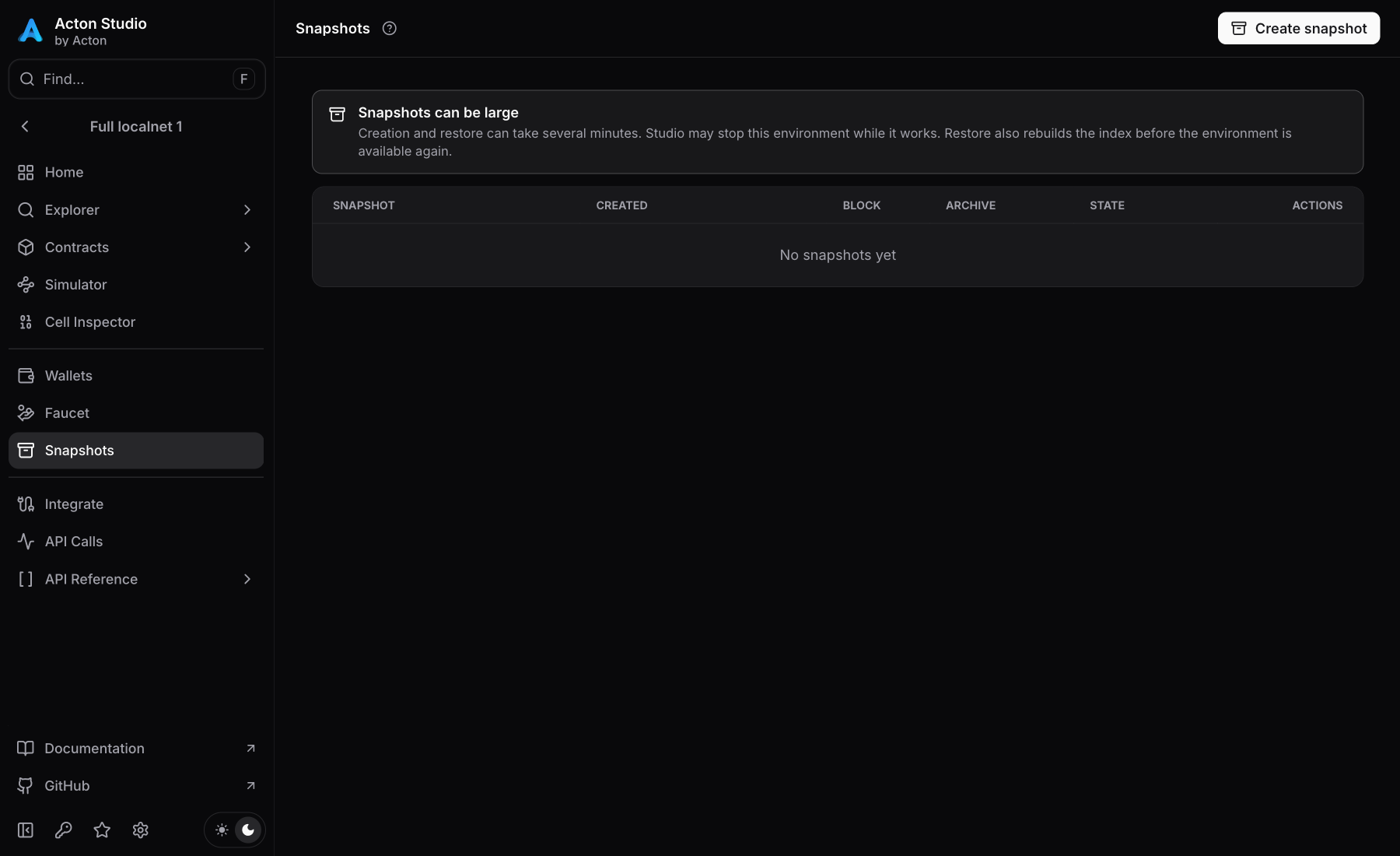
- Open the environment's Snapshots page and select Create snapshot.
- Enter a descriptive name such as
before-upgradeand confirm creation. - Run the scenario. To return to the saved state, select the row's restore action and confirm Restore snapshot.
- Wait for restoration to finish before sending requests.
Use the row's delete action to remove an unneeded snapshot.
A running simulator stays online during snapshot creation and restore. For a stopped simulator, creation saves only persisted state. Restoring a stopped simulator starts it. Inventory, import, download, and delete controls work while it is stopped.
For localnet, creation pauses a running network, then resumes it. A stopped network stays stopped. Restore restarts services and rebuilds indexed data, which can take several minutes. The table shows the saved masterchain block and compressed and uncompressed sizes. Operations continue in the background after leaving the page; reopen it to check progress.
To share a simulator checkpoint, use the row's download action to export JSON. Import snapshot saves a JSON file without applying it; restore the imported row separately.
Start with a database and snapshot directory:
acton simulator start --port 5411 --db-path .acton/simulator.sqlite --snapshots-dir snapshotsIn another terminal:
acton simulator snapshot create before-upgrade --port 5411
acton simulator snapshot list --port 5411 --json
Replace <SNAPSHOT_ID> with the ID returned by create or list, not its display name:
acton simulator snapshot restore '<SNAPSHOT_ID>' --port 5411Export a checkpoint or import a shared one:
acton simulator snapshot export '<SNAPSHOT_ID>' --out snapshots/before-upgrade.json --port 5411
acton simulator snapshot import snapshots/before-upgrade.json --name imported --port 5411
Import creates a new snapshot ID without changing live state. Snapshot file arguments resolve from the project root. Choose a new export filename to preserve existing files.
Delete an unneeded saved state with its ID:
acton simulator snapshot delete '<SNAPSHOT_ID>' --port 5411acton localnet snapshot dev create before-upgrade
acton localnet snapshot dev listReplace <SNAPSHOT_ID> with the returned ID, not its display name:
acton localnet snapshot dev restore '<SNAPSHOT_ID>' --yesThese commands also work when the control service is stopped. Acton opens a temporary service for the operation and closes it afterward. A restore through that temporary service leaves the network stopped again; resume it to continue:
acton localnet start dev --detachDelete an unneeded saved state with its ID:
acton localnet snapshot dev delete '<SNAPSHOT_ID>' --yesVerify the restored state
Inspect the saved block and account balances, then repeat the relevant getter or script action.
- For a simulator, also check virtual time.
- For localnet, check node, API, and indexer readiness under Network → Health before querying indexed data.
Retain simulator checkpoints
Studio configures persistence automatically. For a standalone simulator, use --db-path or [localnet].db-path in Acton.toml — without a database, live state is not persistent. SQLite preserves committed blocks, transactions, account state, configuration, application binary interfaces (ABIs), and source artifacts between process runs. Pending messages, time overrides, and other runtime metadata require a running-node snapshot.
- Without
--snapshots-dir, a database namedsimulator.sqliteuses a siblingsimulator.snapshots/directory. - Without a database, snapshots default to
.acton/simulator/<PORT>/snapshots/, where<PORT>is the runtime port. Use the same directory on restart to retain access.
A relative [localnet].db-path resolves from the project root, while a relative --db-path resolves from the current working directory.
When sharing JSON checkpoints, use the same Acton version and fork network. Import validates a snapshot before saving it.
Retain localnet archives
Archives live in Docker volumes. Copying .acton-localnet metadata alone does not back up the chain. Studio does not provide archive import or export.
Last updated on