

Quick start with AppKit
Scaffold a complete AppKit app with one command. The result is a Vite + React + TypeScript project with wallet connection, balance, jettons, NFTs, swaps, and staking wired up out of the box.
Requires Node.js >= 22.12.0
Create a project
Follow prompts
To create a project, run one of the following commands:
npm create ton-appkitThe CLI asks for the following details:
- The project name
- The app URL
The app URL is your deployment address, where the manifest with your app's metadata will be available. You can use a placeholder URL during development and update it before deploying.
Pass options with flags
You can pass flags to set specific values without going through the prompts:
npm create ton-appkit project-name -- --app-url https://example.com| Flag | Description |
|---|---|
[project-name] | Directory name. Defaults to my-ton-app. |
--template, -t | Template to use. Only react is available. |
--app-url | App URL written into the TonConnect manifest. |
--yes, -y | Accept all defaults without prompts. |
Install dependencies
Navigate to your project directory and install dependencies:
cd project-name
npm install
Run the app
To run the app, use this command:
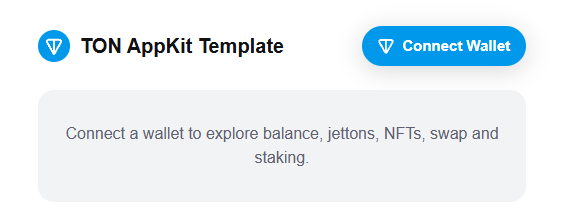
npm run devTo see the running app, open http://localhost:5173.
Install the AI skill
Optionally, install the AppKit skill for your AI coding assistant:
npx skills add ton-org/kit/packages/appkit/skills/ton-appkitAfter installation, the assistant gives AppKit-specific answers about hooks, patterns, and common pitfalls.
Result
The generated project includes the following:
- Wallet connection
- Balance display
- Jetton list
- NFT list
- Swap UI
- Staking UI
To test wallet connection with a real wallet, deploy the app and update the app URL in tonconnect-manifest.json first.
Next steps
The generated project is a working reference implementation. From here, go directly to How-to guides — they cover every AppKit feature with practical code.
The other guides in Get started are optional. Read them if you want to understand how each part of the generated project works, or if you need to integrate AppKit into an existing project manually.
You can also look up types and signatures in Reference.